dslrBooth is becoming LumaBooth: Here’s everything you need to know!
dslrBooth is becoming lumabooth: what are the specific changes?
The dslrBooth software has officially evolved and is now called LumaBooth for Windows. To many users, this change may give the impression that it is an entirely new program. In reality, the situation is more nuanced: Lumasoft hasn’t replaced dslrBooth with a completely different tool, but has chosen to evolve its long-standing Windows software into a more modern platform that is more consistent and better integrated into its overall ecosystem.
For photobooth professionals—and therefore Bizbooth customers—the real question isn’t just “what’s the new name?”, but rather: what, in practical terms, is changing in how the software is used?
That’s exactly what we’ll be looking at here, focusing on the major updates without going into detail about the Dashboard, which deserves its own article—coming soon below:
Why is dslrBooth changing its name?
The most noticeable change is, of course, the name. dslrBooth, which has been around for years on Windows, is now called LumaBooth for Windows.
Lumasoft’s goal is clear: to bring its various photo booth apps together under a single brand, whether they run on Windows, iPad, iPhone, or Mac. The idea is to create a more intuitive and consistent platform for users, with a unified identity across all devices.
This point is important because we need to avoid any misunderstanding: dslrBooth isn’t going away in the sense that we’d have to start from scratch. The software’s core remains the same, our workflow remains largely unchanged, and it quickly becomes clear that this is more of a continuation than a break with the past.
For Bizbooth customers, this is undoubtedly the most important message to convey: the software they know and love is still here, but under a new name and with a new visual identity.
What has changed visually in the interface
This is probably the second change users will notice right away: the interface has been updated. The new version is cleaner, sharper, and more modern, while retaining a layout that will feel familiar to regular users. The goal isn’t to completely overhaul the layout, but to make the whole experience more pleasant and up-to-date.
In practical terms, this means that the interface remains familiar to dslrBooth users, but with a more polished design. This is a major plus, as one of the risks of a major software update is that it can confuse the professionals who use the kiosk on a daily basis. Here, the clear choice was to modernize the look without disrupting users’ routines.
For a photo booth rental company or operator, this is a significant improvement. A clearer interface makes it easier to get started, gives a more professional impression, and reduces the “outdated software” feel that some users may have experienced with previous versions. At the same time, maintaining a familiar structure avoids the frustration of having to learn everything from scratch.
To be honest, this isn’t the first time the software has undergone a visual overhaul. Some interface improvements had already been introduced previously. The difference here is that LumaBooth’s new identity makes the whole experience more cohesive and polished.
A more unified platform
Beyond the new name and design, the most significant change is likely Lumasoft’s desire to further unify its software ecosystem. LumaBooth is no longer conceived as a standalone app for a specific device, but rather as a more comprehensive photo booth platform capable of operating across multiple environments under a single brand.
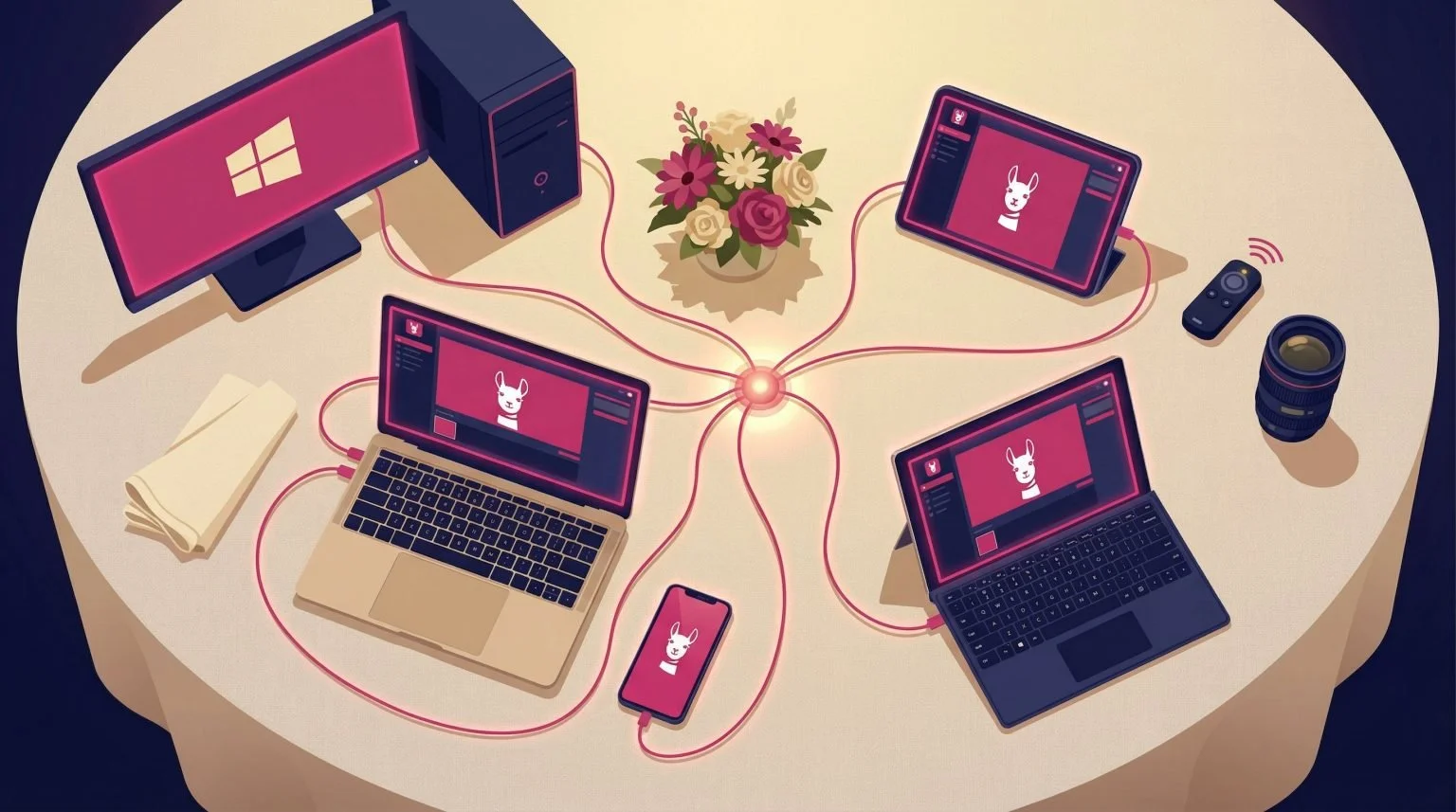
This may seem like a minor detail at first glance, but it is not. For professionals, the value of a unified solution lies in its consistency. Windows software is no longer seen as a standalone product, separate from the rest of the lineup. Instead, it fits into a more modern approach, where tools, settings, and updates are designed as components of a single ecosystem.
For Bizbooth, this is an interesting development worth noting: it shows that the software continues to evolve in an ambitious direction. This helps reassure buyers that they are investing in a kiosk compatible with a dynamic software environment that is actively maintained and regularly updated.
The new ready-to-use templates: an interesting development, but unusable!
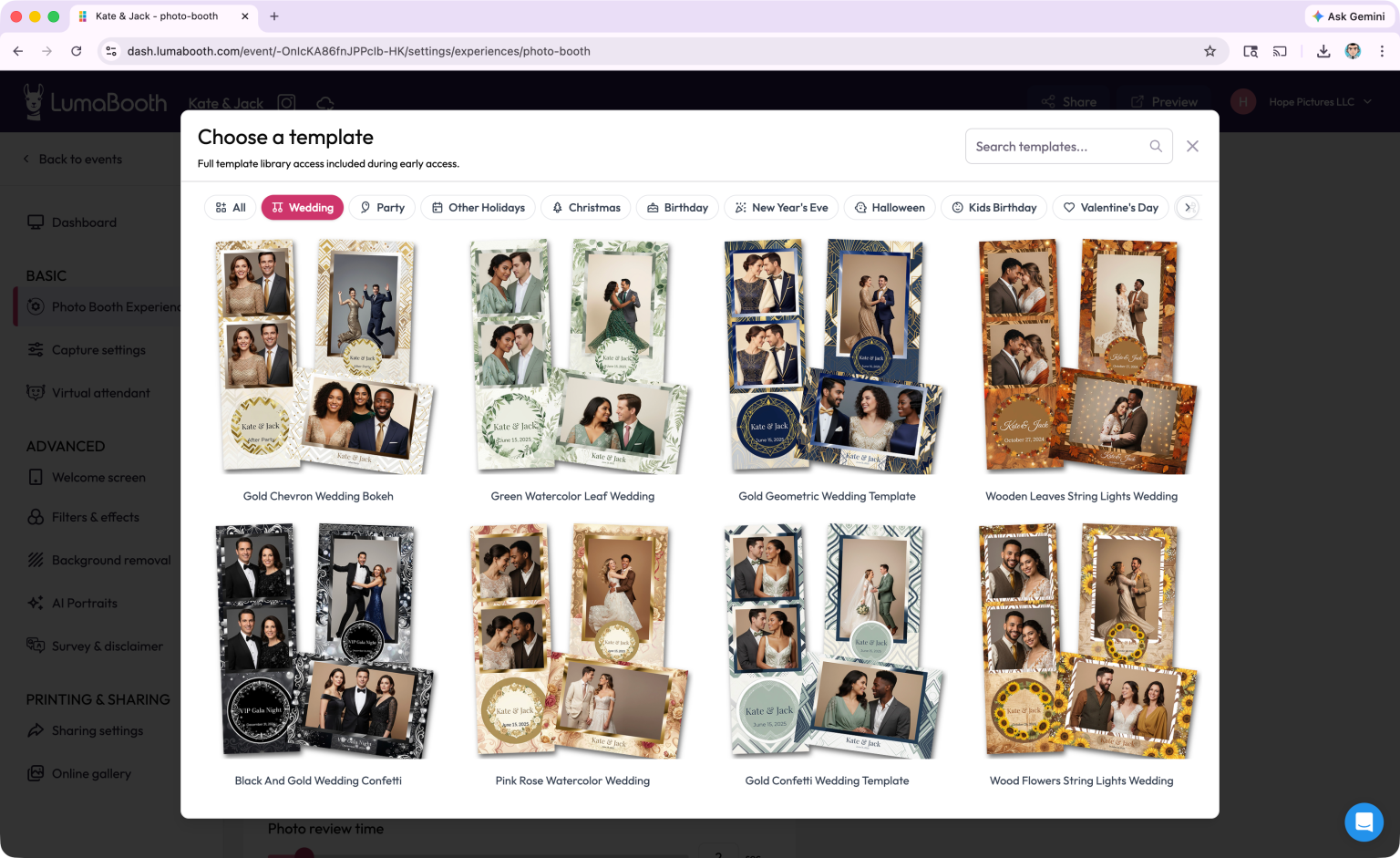
Among the new features highlighted, LumaBooth offers a wide range of ready-to-use templates. On paper, this may seem very appealing: having access to numerous templates should, in theory, save time and simplify event planning.
But in practice, there’s a major drawback. For a template library to be truly useful to a professional, it must be possible to easily present it to the client before the event. And that’s precisely where the problem lies.
Today, clients don’t really have an easy way to choose a template in advance. To the best of our knowledge, there is no clear, user-friendly gallery to show them, nor is there an interactive library designed to help them compare, select, and approve a design before the service is provided. Yet, in practice, this is essential.
A customer wants to see what they’re buying. They want to be able to visualize the end result, compare different styles, show examples to their team or others, and then approve a concrete design. Without this, the promise of a large library of templates loses much of its value. Having a lot of templates in the software isn’t enough if, when it comes time to sell the service, it’s impossible to present them properly.
In practice, this means that when it comes to templates, we’re largely back to square one. To do a thorough job, you still need to prepare, organize, and present the templates you want to offer your clients yourself. In other words, the number of templates available in the software doesn’t solve the real business problem.
That’s exactly why, at Bizbooth, we offer a pack of 20 templates available in three formats: JPG, PNG, and a file that can be imported directly into dslrBooth. The goal is simple: to provide professionals with clear visuals that are easy to show to clients and immediately usable in production. These templates are available in Bizbooth’s Shopbooth and are also included in the Pro PREMIUM packages.
Artificial intelligence is becoming much more prominent
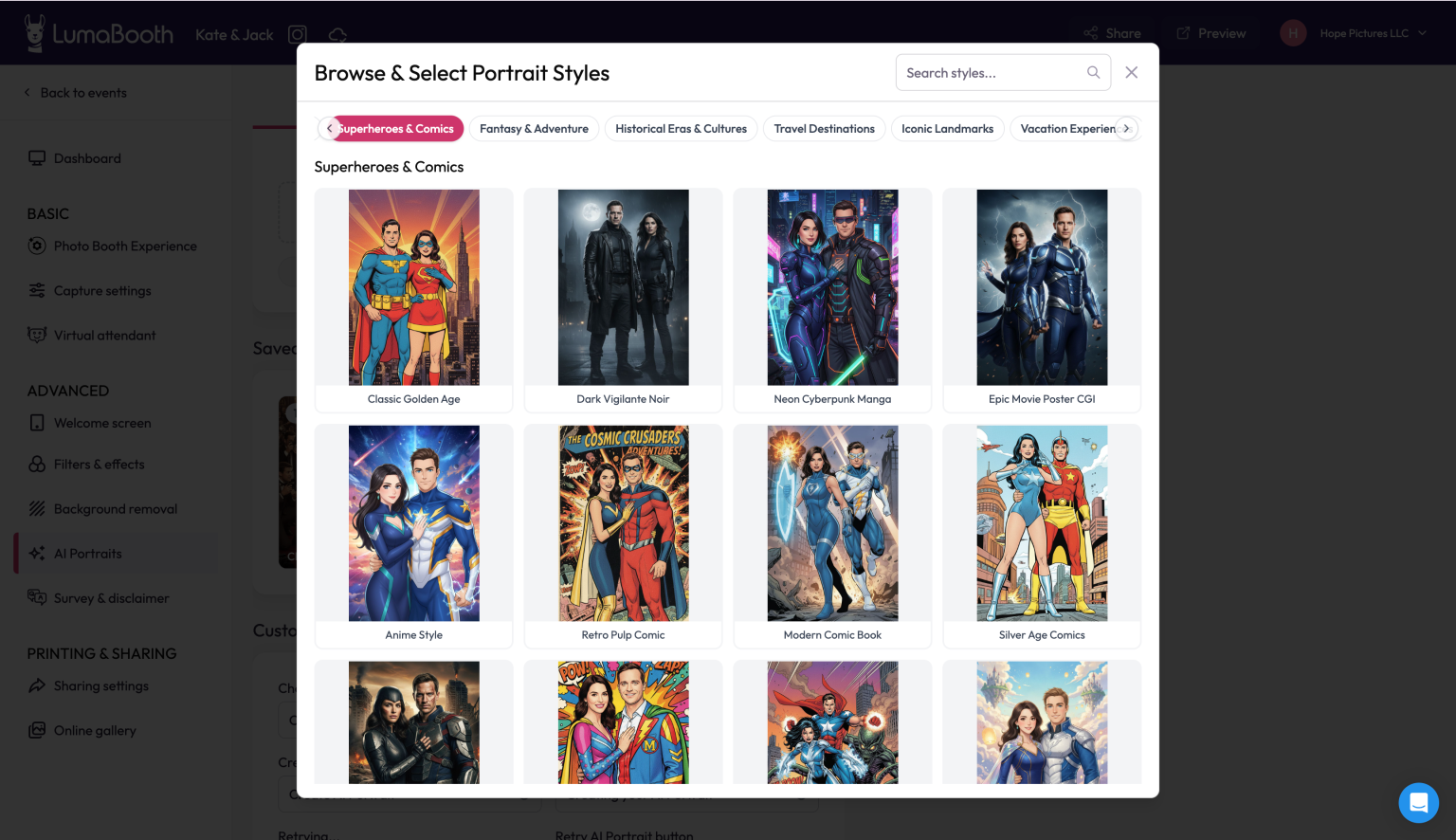
The other major focus of this development is AI. Here again, we need to distinguish between two things: the replacement of the background with AI and AI Portraits, which are two different features.
AI-powered background replacement allows you to remove the background from a photo or video without using a green screen, and then replace it with an image of your choice. For many content creators, this is a real practical advantage, as it simplifies certain setups and opens up creative possibilities without adding significant hardware requirements.
But the most striking new feature—the one with the greatest commercial potential—is clearly AI Portraits. This goes far beyond simple retouching or background replacement: it’s a complete creative transformation of the image, offering a variety of visual styles.
This is a new feature that can truly transform the way people perceive a photo booth service. While a traditional photo booth provides photo or video souvenirs, AI Portraits add a more striking, distinctive “wow” factor—and one that’s potentially more effective at driving sales. For some end customers, this can become a key reason to book the service. For some operators, it can also justify offering a higher-end option or an additional feature in their lineup.
On the other hand, it’s also important to note that there are some limitations. This AI feature operates on a subscription and credit-based model, which means you need to fully understand the model before integrating it into your offering. It’s certainly an exciting new development, but it’s also something that needs to be approached with a clear head.
What remains the same for Bizbooth users

When software changes its name and identity, users’ first concern is often the same: Will I have to start all over again? In this case, the answer is quite reassuring. The main features remain the same, the overall logic of the software stays familiar, and users will find that most of their work environment is intact.
This is a key consideration for Bizbooth customers. A photo booth is a business tool. Those who use it in a professional setting need stability, reliability, and continuity. They don’t want a software update to disrupt their operations in the middle of the season. From this perspective, the transition to LumaBooth is quite reassuring: it retains the solid foundation of dslrBooth, while adding new features and a more modern look.
It is also worth noting that some of the developments highlighted today are, in fact, a continuation of improvements that were already underway. This confirms that we are indeed dealing with a logical progression, rather than a sudden break.
For a Bizbooth customer, the right mindset isn’t to think, “I have to learn a whole new software program,” but rather: “I’ll be able to use my familiar environment in a more modern, feature-rich, and forward-looking version.”
Why is this development of interest to industry professionals?
Ultimately, the value of this transition to LumaBooth goes beyond a mere cosmetic change. For photobooth professionals, this evolution is significant because it combines several useful features: a more user-friendly interface, a more cohesive software environment, greater integration of AI, and a clear commitment to bringing the software into the modern era.
This doesn’t mean that everything will change overnight when it comes to operating a kiosk. However, it does show that the software continues to evolve, become more robust, and offer new tools to meet very specific market needs: saving time, offering something more distinctive, and maintaining credibility with customers who are increasingly focused on the overall experience.
For Bizbooth, this is also good news in terms of brand image. Being able to support its clients with software that continues to evolve—and clearly explain those changes—helps reinforce its position as a specialist. It’s not just about selling a sleek kiosk; it’s also about demonstrating a deep understanding of the ecosystem that goes along with it.
What are the key takeaways from this change?
dslrBooth is now called LumaBooth for Windows, but this shouldn’t be interpreted as the arrival of an entirely new piece of software. The reality is more interesting than that: we’re retaining the reliability and familiar features of dslrBooth, while moving into a more modern, unified, and ambitious environment.
The key changes to note are clear: a new name, a refreshed interface, a more cohesive platform, and a much greater emphasis on artificial intelligence. At the same time, existing users will retain their familiar features and workflow.
When it comes to templates, however, we need to take a more realistic view. While this is a new feature, it doesn’t address the real business challenge: easily presenting templates to clients before the event. Until this process is truly streamlined, professionals will have to continue relying on their own resources to effectively sell their services.